Best Noise Cancelling Headphones
A practical step-by-step guide to best noise cancelling headphones, including preparation, instructions, common issues, tips, and next steps.
Best Noise Cancelling Headphones
This guide walks you through choosing the best noise cancelling headphones for your commute, office, or home setup. You will learn the key features that matter, how to test them in a shop, and how to set them up so you get the quiet you paid for. The main caution is to check the battery life and fit before you buy, because the most expensive pair is not always the quietest for your ears.
Fast Answer
- First step: Set a budget and list your main use (commute, office, flights).
- Key spec: Look for active noise cancelling (ANC) with at least 20 hours of battery life.
Before You Start
- Your phone or music player with a playlist you know well, including one bass-heavy track and one podcast.
- A budget range in mind before you browse, so you filter out options that are too cheap or needlessly expensive.
- A list of the places you will use them most: train, office, gym, or home.
- A note of your device's Bluetooth version, if you are buying wireless headphones.
Step-by-Step Instructions
Define your main listening environment
Write down where you will use the headphones most. A daily train commute needs strong noise cancelling for engine rumble and chatter. An open-plan office needs good voice isolation and a comfortable fit for long hours. Home use may not need the highest level of ANC at all.
This one decision shapes every other choice. It tells you how much to spend, what size to get, and whether you need a transparency mode to hear announcements. Keep this list with you when you compare models.
Set a realistic budget
Good noise cancelling headphones start around £80 and go past £400. The jump from £80 to £150 usually brings a big improvement in ANC strength and comfort. The jump from £250 to £400 brings smaller gains, like better materials and extra features.
Decide on a hard ceiling before you look. This stops you from being tempted by premium models with features you will not use. If you travel weekly, the comfort and battery life may justify a higher spend. If you only use them at a desk, the cheaper tier is often smarter.
Compare the three types of headphone design
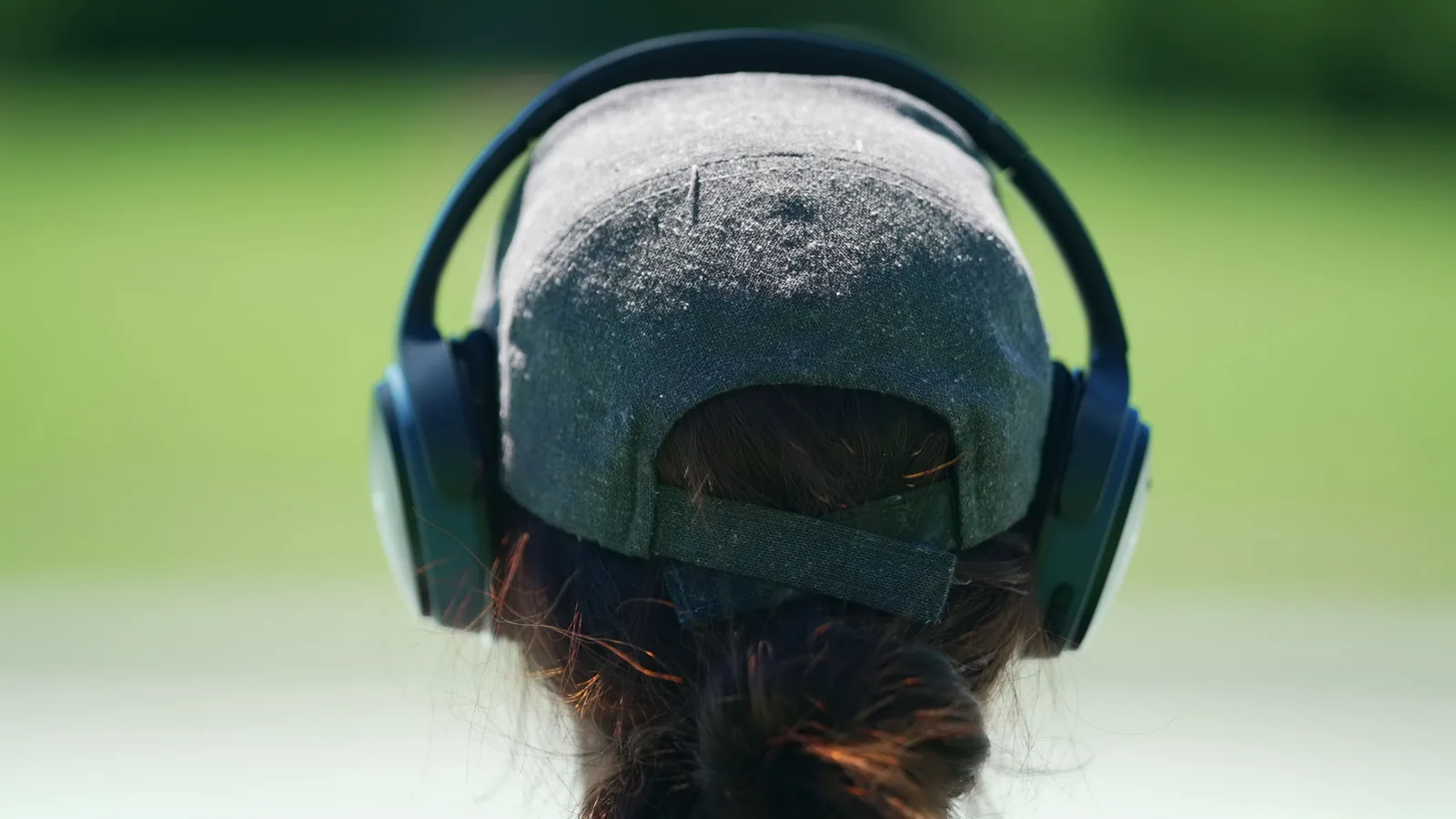
Over-ear headphones wrap around your ears. They offer the strongest noise cancelling because the earcups create a physical seal. On-ear headphones rest on your ears. They are lighter but let in more sound. In-ear earbuds fit inside your ear canal and vary widely in ANC strength.
For the best noise cancelling, over-ear models are the usual choice for commuters and office workers. Earbuds are better for gym use or if you want something pocketable. On-ear models are a compromise that rarely excels at ANC.
Check the battery life and charging port
Battery life is a practical detail that ruins or saves your day. Look for 20 hours or more with ANC turned on. Many premium models reach 30 hours, which covers a long-haul flight or a full work week on one charge.
Check the charging connector too. A USB-C port means you can use the same cable as your phone. A proprietary cable is an extra thing to carry and lose. If the headphones support fast charging, even a 5-minute top-up can give you an hour of playback, which is a lifesaver at an airport.
Test the noise cancelling with real sounds
Do not trust the sales demo booth. Put on the headphones and play a busy café recording or a white noise track on your phone. The ANC should visibly reduce the rumble and hum, not just the higher-pitched sounds.
Pay attention to the pressure feeling on your ears. Some people feel a slight suction effect with strong ANC. It is normal but should not be painful. Wear the headphones for 10 minutes in the shop to see if they start to feel tight or hot.
Listen for sound quality and equaliser options
Noise cancelling is about silence, but the headphones still need to sound good when you play something. Listen to a track with deep bass and one with clear vocals. The sound should stay balanced, not muddy or shrill.
Check if the companion app has an equaliser. Many brands let you adjust the bass, mids, and treble to match your taste. This is a free way to improve the sound without spending more. Some apps also let you adjust the ANC strength, which is useful in different environments.
Check the microphone and call quality
If you take calls on your headphones, the microphone matters as much as the ANC. Ask a friend to call you in a noisy place and check how clear your voice sounds. Some ANC headphones are excellent for music but terrible for calls because the mic picks up background noise.
Look for models with multiple microphones and a feature called "voice pickup" or "beamforming". These help the headphones focus on your voice. In a shop, you can clap or shuffle paper while speaking to test how much the mic filters out.
Check comfort and weight for long sessions
Heavy headphones cause neck strain and ear fatigue. Look for models under 300 grams. The headband padding and the clamping force on your head matter more than the price tag. You should be able to wear them for two hours without feeling pressure points.
Wear them with your glasses or earrings in the shop. Some pads press against frames and become painful after an hour. If the earcups are too small, your ears will touch the inside and hurt after a short time.
Pair and test the Bluetooth connection at home
Once you buy, the first connection is important. Put the headphones in pairing mode and select them from your phone's Bluetooth menu. Check if your phone recognises all the controls, like volume and Play or Pause.
Some models use a proprietary codec for better sound, like LDAC or aptX. Your phone needs to support these for the higher quality. If you do not see them in your phone settings, you are still getting standard quality, which is fine for most people.
Set up the app and customise the controls
Most premium models have a companion app. Download it and update the firmware, because updates often improve ANC performance. Inside the app, you can adjust the noise cancelling level, the equaliser, and the button controls.
Map the controls to your habits. If you switch often between ANC and transparency mode, assign that to the quick button. If you never use voice assistants, you can disable that feature and use the control for something else. These customisations make the headphones feel like yours.
Quick Reference
| Situation | Use this | Why |
|---|---|---|
| Daily commute | Over-ear, strong ANC, 20 hr battery | Blocks engine rumble and chatter for the full trip. |
| Open-plan office | Over-ear, good mic, transparency mode | Quiets background hum but lets you hear a colleague. |
| Gym or running | In-ear earbuds with ear fins | Stay in place during movement and fit in a pocket. |
| Home focus work | Any ANC, light weight, comfortable pads | Minimises household noise without neck strain. |
| Long-haul flight | Over-ear, 30 hr battery, carry case | Survives a full day of travel and packable storage. |
Advanced Tips
- Use the ANC strength slider in the app. Strong ANC uses more battery. On a quiet day, drop it to a lower level and save power.
- Enable "voice pass-through" or "awareness mode" when you order a coffee or listen for train announcements. It is faster than taking the headphones off.
- If your headphones have a 3.5mm aux cable, use it on a flight with the airline's traditional seatback screen. The ANC still works while the cable carries sound.
- Keep the earpads clean. Dirty or worn pads break the seal and reduce noise cancelling. Replace them every 12 to 18 months for consistent performance.
- Store headphones in their case when you are not using them. This prevents the headband from losing its tension and keeps the pads from flattening.
Best Noise Cancelling Headphones FAQ
Common Issues
If the result is not working as expected, return to the previous step, check the material or setting involved, and make one adjustment at a time for best noise cancelling headphones.
Do noise cancelling headphones block all sound?
No. Active noise cancelling is most effective against low, constant sounds like engine hum and air conditioning. It does not fully block sharp sounds like a baby crying or a door slamming. For those, you need passive isolation, which comes from the earcup seal.
Are expensive noise cancelling headphones worth it?
Only if you use them frequently in really noisy places. The premium tier, roughly £250 and above, adds better build materials, more comfortable padding, and smarter features like adjustable ANC. If you just want quiet at your desk, a mid-range pair around £120 is often enough.
Can I use noise cancelling headphones with my computer?
Yes. Most wireless headphones connect to your laptop via Bluetooth, and many include an aux cable for a wired connection. For video calls, make sure the microphone works with your computer's settings. Wired connections are often more reliable on older laptops.
How long do noise cancelling headphones last?
A good pair lasts 3 to 5 years with normal care. The battery will degrade over time, and the earpads will wear out. Both are replaceable on many over-ear models. If you take care of the headband, you may only need to replace the pads once during the life of the headphones.
Do I need noise cancelling if I listen at home?
It depends on your home. If you have noisy neighbours, a partner watching TV, or a busy street outside, even a basic ANC pair helps. If your home is quiet, you can save money and buy standard headphones with good sound quality and skip ANC altogether.
Final Checklist
- You have set a budget and know your main use case.
- You have compared over-ear, on-ear, and in-ear designs for your needs.
- You have tested the ANC with real sounds, not just a demo booth.
- You have checked the battery life and charging port.
- You have listened for sound quality and checked the equaliser options.
- You have tested the microphone with a call in a noisy place.
- You have worn the headphones for 10 minutes to check comfort.
- You have paired them with your phone and updated the firmware.
- You have set up the app controls and customised them to your habits.
- You have stored the headphones in their case to keep them in good shape.
You are ready to buy. Take your list to the shop or compare online with the specs you wrote down. Test the fit first, and remember that the quietest pair is the one that fits your ears best. Good luck and enjoy the silence.